
What Privacy Risks Come With AI-Generated Code and Auto-Installed SDKs?
AI agents that write full-stack apps are here. They scaffold projects, install dependencies, wire up APIs, and deploy—all while you watch. The Autonomous Stack promises to cut development time from weeks to hours. But there's a problem: every SDK an AI agent auto-installs is a potential privacy violation waiting to happen.
Most autonomous coding tools don't inspect what npm packages, SDKs, or third-party scripts they're adding to your codebase. They pattern-match from training data, find popular solutions, and wire them in. That's how you end up with analytics libraries you didn't authorize, feature flags that phone home by default, and embedded chat widgets that drop cookies without consent.
The compliance gap is real. In 2024, GDPR fines totaled €1.2 billion, per the EDPB's 2024 annual report—and tracking pixels and third-party SDKs remain one of the largest enforcement categories, with Sweden's IMY and multiple German courts issuing pixel-related penalties across 2024. When an AI agent installs a package, you're still the data controller. The liability doesn't transfer to the model.
How Do Autonomous Coding Agents Choose Which SDKs to Install?
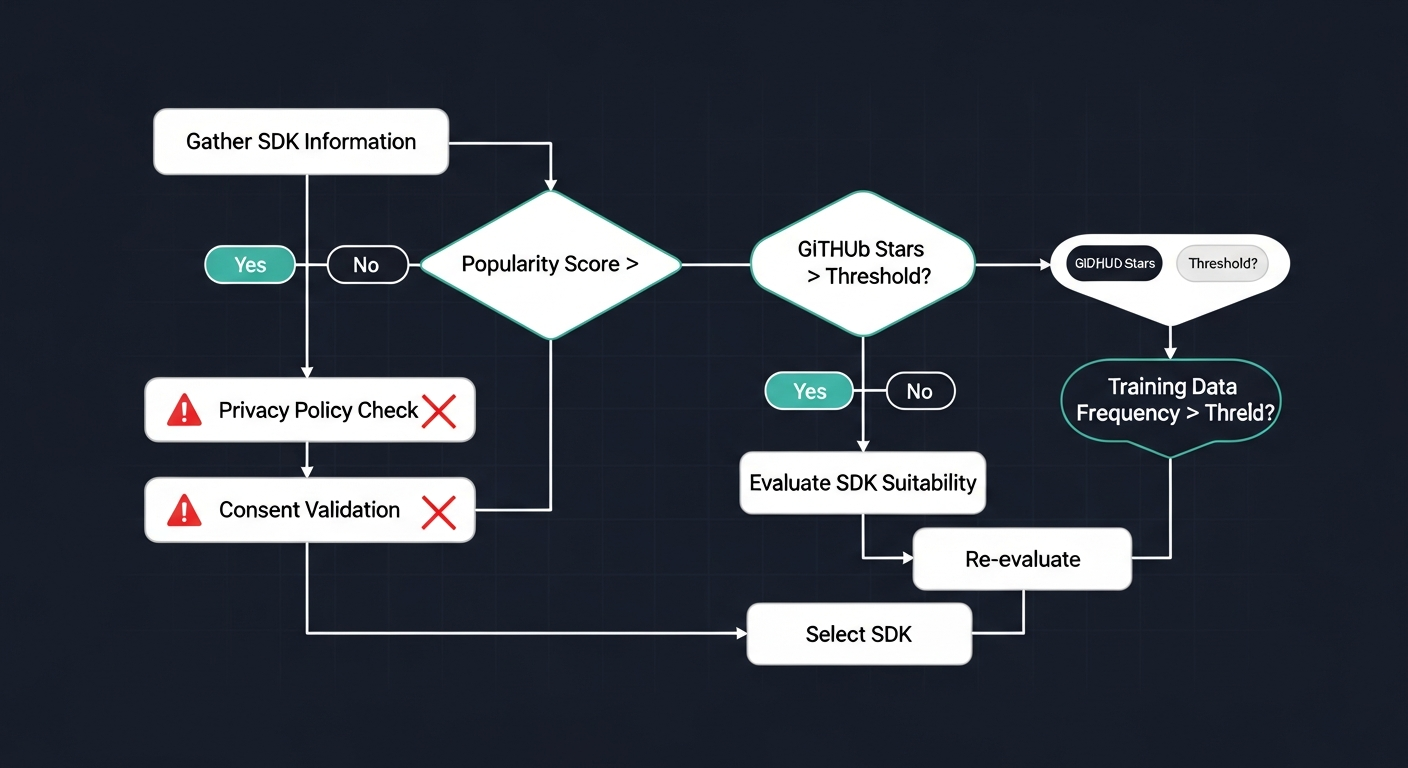 Diagram showing how AI agents choose SDKs without privacy validation
AI agents prioritize popularity and GitHub stars. They see that 80,000 repos use a certain analytics SDK, so they assume it's the right choice. They don't read privacy policies. They don't check if the library's default config sends telemetry to a third-party domain. They don't validate whether cookies are set without user consent.
Consider what happens when an agent scaffolds a Next.js app:
- It enables Vercel Web Analytics alongside the Flags SDK—the analytics product captures geolocation (country/region/city), device type, OS, and browser on every pageview by default
- It adds PostHog for analytics—automatically tracking clicks, form inputs, and session replays
- It wires in Intercom or Crisp for live chat—both of which set cookies immediately on page load
None of these choices are inherently wrong. But none were reviewed for compliance. If you're shipping to EU users, you just violated GDPR Article 5(1)(a) (lawful processing) and likely Article 7 (consent requirements).
Why Can't AI Agents Write Privacy-Compliant Code Out of the Box?
Because compliance isn't a code pattern—it's a legal obligation that varies by jurisdiction, user base, and data type. An AI trained on public repos learns what's popular, not what's legal.
ChatGPT can't reliably write xcprivacy files because it doesn't understand Apple's privacy manifest requirements. It hallucinates API usage keys. It misclassifies tracking domains. The same problem exists for CCPA disclosures, GDPR cookie consent flows, and Google Play's 2026 privacy policy updates.
AI models don't know:
- Whether a user's IP address is considered PII in your jurisdiction
- Whether tracking pixels can trigger CCPA liability (Allison v. PHH Mortgage, N.D. Cal. 2026, held they can when personal data is disclosed without authorization—even by the business's own systems)
- Which SDKs in your
package.jsonare exempt from consent under legitimate interest
They generate code that works. They don't generate code that's compliant.
What Should Developers Do Before Deploying AI-Generated Apps?
First: audit every dependency before it ships. Run a cookie scanner on your staging environment. Check what third-party requests fire on page load. Review your package.json for analytics, error tracking, and A/B testing libraries you didn't explicitly choose.
Second: add compliance checks to your IDE. Tools like Cursor and Claude Code let you define custom rules that flag privacy issues in real time. You can catch consent-less cookie setters before they hit production.
Third: run a full site scan before launch. Use a launch checklist that includes privacy headers, GDPR compliance, and third-party script validation. Autonomous agents move fast—your compliance process needs to keep up.
The Autonomous Stack is here. It's powerful. But it won't check if you're violating CCPA, GDPR, or App Store privacy rules. That's still your job.